
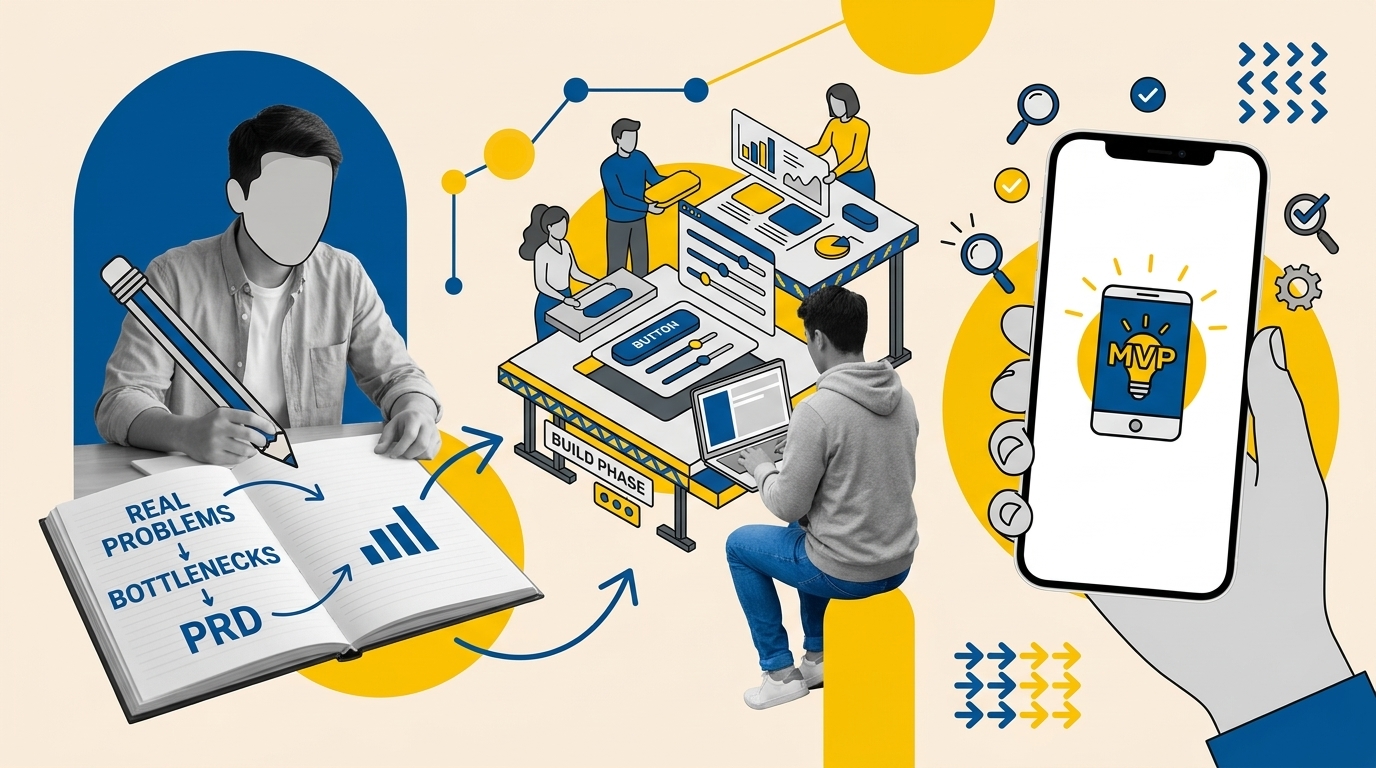
Building usable software with AI code generators is not a matter of writing clever prompts on a blank canvas; it is an exercise in rigorous scoping before you touch a line of code. As an active builder selected as a Lovable Creator and recognized in the official Lovable Partner Directory as a Certified Expert across both Website Builder and App Builder categories, I have learned that the difference between an abandoned prototype and a shipped tool lies in how you define your core user journey, constrain feature sets, and sequence your build. This guide details my real-problem-to-MVP operational workflow, including an open-source product requirements document (PRD) generator skill you can run for free.
Key Takeaways
- Never prompt an AI builder directly from an unvetted idea; spend 80% of your initial effort mapping out the single core problem, technical constraints, and clear acceptance criteria.
- Frontier LLMs should first be used to evaluate whether an off-the-shelf SaaS already solves your problem, helping you decide whether to buy, assemble, or build custom software.
- A structured PRD eliminates hallucinations and scope creep by establishing strict feature boundaries and modular implementation prompts.
- You can generate complete, Lovable-ready PRDs using the free, MIT-licensed Lovable PRD Generator skill via Claude Code or by attaching the markdown files into ChatGPT, Claude, or Gemini chats.
- Build incrementally one component at a time, enforcing review checkpoints and mobile testing before publishing.
Starting with a Real Operational Bottleneck
Every reliable application starts with a specific, recurring pain point. When people ask how I approach AI development, I point them away from hypothetical startup concepts and straight toward everyday operational bottlenecks.
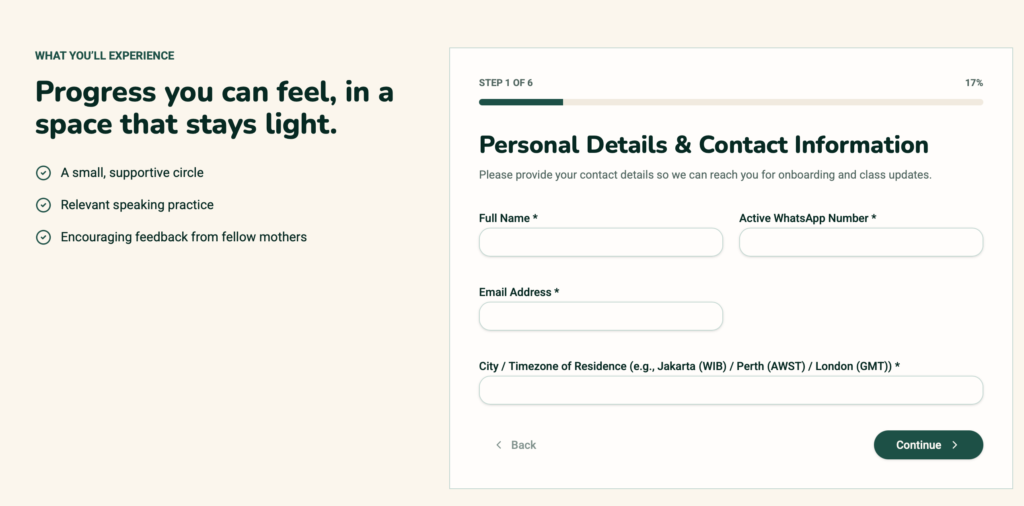
A prime example from my own household was the registration process for my wife’s community, Mother Speaks English. The community previously relied on fragmented Google Forms, disconnected messaging chats, and manual bank transfer verifications to handle class signups. Members had to fill out a general form, message an administrator with a payment screenshot, and wait for manual confirmation. On the administration side, matching spreadsheet rows to image receipts created tracking delays, missed inquiries, and unnecessary administrative work.
We did not need a sprawling multi-tenant learning management system. We needed a clean signup and payment evidence verification journey. That clarity defined our requirements immediately: a responsive form where parents select an open class cohort, enter their details, attach an image receipt of their bank transfer, and receive immediate on-screen confirmation while an admin reviews the submission. When you understand the operational bottleneck at this level, building inside an AI workspace becomes straightforward. If you are brand new to the platform itself, reviewing our Lovable beginner’s guide offers a helpful primer on workspace setup before diving into complex workflows.
Stress-Testing Alternatives and Feasibility with an LLM
Before writing a single specification, I sit down with a frontier large language model (such as Claude, ChatGPT, or Gemini) to challenge the premise. Custom software carries maintenance overhead, potential security responsibilities, and ongoing hosting costs. If an off-the-shelf product already solves your problem affordably, you should rarely build custom software.
During this brainstorming and discovery phase, I interrogate four key dimensions:
- Market Substitutes: What existing tools handle this workflow today? For Mother Speaks English, we reviewed Airtable forms, Typeform paired with Zapier, and off-the-shelf event portals.
- Gap and Differentiation: Why does an existing tool fall short? Third-party form stacks often charge high monthly subscription fees for custom file uploads or lack localized payment flow messaging suited to specific regional communities.
- Build Feasibility: Can a modern AI stack realistically build and maintain this? With platforms like Lovable handling modern React codebases, Tailwind styling, and Supabase database backends, handling secure form submissions and receipt uploads is technically practical for a solo builder.
- Data Privacy and Security: Does this workflow collect sensitive personal data? In our case, member phone numbers and payment receipt slips required clean access control so that receipts were stored in private storage buckets readable only by designated administrators.
Defining the MVP and Generating a Lovable-Ready PRD
Once you confirm that building an MVP is justified, resist opening Lovable immediately. The biggest point of failure in vibe-coding is expecting an AI model to guess unstated product rules. In my testing, unguided prompts create visual clutter, broken relational databases, and bloated credit usage.
You must write a Product Requirements Document (PRD) first. It’s a blueprint that explains what you want to build, who it is for, what problem it solves, and how it should work. Think of it as an instruction manual for building your app or website. It outlines the essential features, user journey, and requirements before development begins. According to Atlassian’s guide to PRDs, a PRD helps establish a shared understanding of what needs to be built.
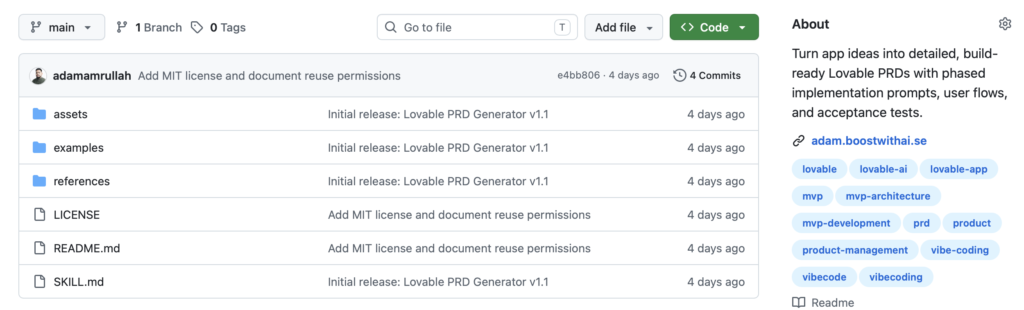
When using AI app builders like Lovable, a PRD is especially useful because it gives the AI clearer instructions instead of forcing it to guess your intentions. A well-structured PRD can help reduce unnecessary revisions, keep development focused, and avoid wasting AI credits. To automate this discipline, I created the Lovable PRD Generator, an open-source, MIT-licensed repository on GitHub. It guides an LLM to interview you about your problem, challenge your assumptions, and output a phased, execution-ready PRD engineered for Lovable’s architecture.
How to Use the Free PRD Generator
There are two primary methods to run this skill, depending on your preferred development workflow:
- Claude Code Installation: If you use Claude’s command-line interface, install it as an agent skill following the Claude Code agent skills standard. Place the repository files in your workspace under
.claude/skills/lovable-prd-generator/containing the centralSKILL.mddefinition. Claude Code will recognize the skill and invoke it whenever you request a new software spec. - Chat Attachment Method: If you use standard web interfaces like ChatGPT, Claude.ai, or Google Gemini, simply download the repository and upload the five core Markdown framework files directly into your project knowledge base or active conversation. Instruct the model: “Read these attached framework files and act as the Lovable PRD Generator to help me scope my project.”
Visual Direction Without Stealing Designs
AI app builders understand layout hierarchies and aesthetic constraints much better when provided with concrete visual references. Before generating frontend code, I create a mood board on Pinterest or collect layout screenshots of web applications with exceptional usability.
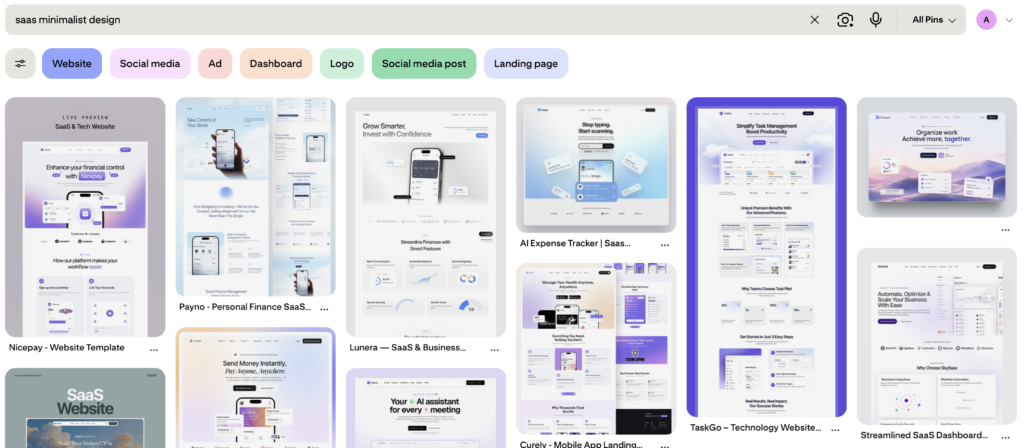
When curating visual references:
- Focus on Information Architecture: Look for how successful applications lay out form steps, navigation headers, confirmation modals, and empty states.
- Respect Intellectual Property: Never ask Lovable to clone a proprietary interface or scrape proprietary assets. Use references strictly for composition balance, whitespace hierarchy, and color harmony.
- Translate Visuals into Technical Directives: When prompting Lovable, convert visual observations into design system guidelines (for example: “Use an editorial typographic hierarchy, card layouts with subtle 1px border strokes, generous padding, and an earthy color palette suited for an education community”).
Phased Building Inside Lovable
With your PRD completed and visual guidelines defined, you can open Lovable to start building. As documented in the official Lovable Partner Program standards and the official Lovable prompting guide, successful construction requires building “one brick at a time” rather than pasting an entire product spec at once. You can use the prompt that I always use below, you can adjust accordingly:
I’ve uploaded the Product Requirements Document (PRD) and visual references for {the idea name}
Please:
- Review the PRD as the main guide for features, functionality, and user journeys.
- Use the visual references for design inspiration without copying them exactly.
- Build Phase 1 only, focusing on the responsive homepage and class registration interface.
- Don’t add features outside the PRD or implement backend functionality yet.
- Ask questions if anything is unclear.
My Five-Phase Execution Method
- Phase 1: Foundation and UI Shell: Provide Lovable with the application overview and core styling rules. Instruct it to generate the main page layout, navigation, and static card containers. Ensure the responsive breakpoints work on mobile before moving forward.
- Phase 2: Core User Input Journey: Feed the PRD specifications for the user interaction. For Mother Speaks English, this meant prompting the class registration form fields, cohort selection dropdowns, and file upload element.
- Phase 3: Database and State Integration: Connect Supabase through Lovable’s native integration. Instruct the AI to generate the tables specified in your PRD (e.g.,
registrations,cohorts), configure storage buckets for payment receipt uploads, and implement validation rules. - Phase 4: Administrative Review Interface: Build the operational side of the tool. Add a secure, authenticated table view where staff can view registration entries, inspect uploaded payment slips, and toggle verification statuses from pending to approved.
- Phase 5: Edge Cases and Refinement: End your prompt iterations by asking Lovable: “Review our current user flow against common failure states. Are form inputs validated, file formats restricted, and upload progress clearly communicated to the user? Ask me any questions before adjusting code.”
Mistakes to Avoid When Building with Lovable
Working through dozens of builds has highlighted three systematic pitfalls that cause builders to run out of credits or abandon projects prematurely.
| Common Mistake | Why It Happens | Consequence | Better Approach |
|---|---|---|---|
| 1. Prompting Without a PRD | Excitement to see immediate visual results leads builders to feed vague, conversational prompts into Lovable. | The AI assumes data schemas and visual layouts, resulting in inconsistent designs, broken state logic, and burned iteration credits. | Define the user, single transaction goal, database fields, and acceptance tests in a structured PRD before touching Lovable. |
| 2. Multi-Feature Scope Bloat | Builders attempt to create user accounts, analytics dashboards, referral programs, and notifications in prompt one. | Compound complexity overwhelms context windows, leading to code regression where fixing one feature breaks another. | Build a single complete journey first. Backlog secondary features (like member dashboards) until the core transaction works. |
| 3. Skipping Manual Edge Testing | Assuming that because the UI renders correctly on desktop, the application is ready for real users. | Mobile viewports break, large image uploads fail silently, and unauthenticated visitors can access sensitive admin views. | Manually test happy and failure paths across desktop and mobile, inspect database storage, and conduct a live trial with a real user. |
Illustrative Before-and-After PRD Excerpt
To illustrate the difference a structured scoping framework makes, consider this reconstructed excerpt based on our community registration workflow. This illustrative example demonstrates how a typical vague request transforms into a concrete specification that an AI model can execute predictably.
The Vague Initial Request
“Build a class registration website for my wife’s English speaking community where mothers can pick a class, submit their information, and upload proof of payment so admins can check it.”
The Structured PRD Transformation (Illustrative Example)
1. Problem Statement: Community administrators manually reconcile fragmented chat messages and bank transfer screenshots against Google Sheets, resulting in delayed onboarding and lost class registration records.
2. MVP Objective: Deliver a self-service registration portal allowing prospective students to select an active cohort, submit registration details, upload a payment receipt, and receive confirmation within two minutes, while providing staff with an internal review queue.
3. Core Feature Requirements:
- REQ-1: Dynamic cohort selection dropdown showing available class schedules.
- REQ-2: Registration form capturing full name, email, WhatsApp number, and selected cohort.
- REQ-3: Secure payment slip upload supporting JPG, PNG, and PDF files under 5MB.
- REQ-4: Staff verification queue displaying pending registrations with receipt previews and approval status toggles.
4. End-to-End User Flow:
- User lands on registration page and selects their preferred cohort.
- User inputs personal contact information into validated form fields.
- User views bank transfer payment instructions and attaches receipt image.
- User submits form; system uploads receipt to private storage, records registration in database, and renders success confirmation screen.
- Administrator logs into private view, reviews uploaded receipt, and updates status to “Confirmed”.
5. Acceptance Criteria (Given-When-Then):
- AC-1 (Successful Submission): Given a user has filled out all mandatory fields and attached a valid 2MB PNG receipt, When they click “Complete Registration”, Then the system creates a database record with status “Pending Review”, stores the receipt file, and displays the confirmation screen.
- AC-2 (Validation Failure): Given a user attempts to submit without selecting a cohort or providing an invalid phone number, When they click “Complete Registration”, Then submission is blocked and clear inline validation errors highlight the missing inputs.
- AC-3 (Admin Status Update): Given an administrator viewing the pending review dashboard, When they click “Approve Registration”, Then the database record status changes to “Approved” and the queue refreshes immediately.
MVP Launch QA and User Feedback Checklist
Before sharing any Lovable application with customers or community members, run through this practical six-step verification sequence. While this manual review does not replace comprehensive enterprise penetration testing, it ensures your MVP handles real-world usage safely.
- Mobile Viewport and Touch Verification: Open the deployed Lovable URL on an actual smartphone. Verify that form inputs do not trigger unnatural page zooms, dropdown menus remain accessible, and buttons sit comfortably within thumb reach.
- Upload and File Constraint Stress-Testing: Attempt to upload an unsupported file type (such as an executable or text file) or a 15MB photo. Verify that client-side validation catches the issue and displays a readable error message instead of freezing the application.
- Database Row-Level Security (RLS) Inspection: Log into your Supabase console. Confirm that Row-Level Security is active and that storage buckets containing payment slips or private attachments cannot be read publicly by scraping storage URLs.
- Empty and Loading State Checks: Check how the UI behaves when data is fetching or when tables have zero entries. Confirm that loading spinners and clear “No records found” messages display properly.
- Observed User Session: Sit beside a non-technical user (or watch via screen share) as they navigate the application without providing hints. Note every moment of hesitation, confusing button label, or navigation dead end.
- Structured Iteration Loop: Collate feedback into bug fixes and usability enhancements. Add these items into your PRD backlog before prompting Lovable for post-launch revisions.
LET’S WORK WITH ME
Need help turning your idea into a working application?
I combine growth marketing experience with AI-powered development to help businesses build practical websites, applications, and automated workflows using Lovable and Make.
Let’s discuss your project →Frequently Asked Questions
What is the Lovable PRD Generator and how do I access it?
The Lovable PRD Generator is an open-source, MIT-licensed skill authored by Adam Amrullah, available on GitHub. It provides a structured methodology to turn vague software concepts into phased, Lovable-compatible requirements documents complete with database schemas and acceptance criteria.
Can I use the PRD generator without Claude Code?
Yes. While Claude Code allows direct terminal installation using the agent skills format, you can also download the five Markdown files from the repository and manually attach them into conversations with ChatGPT, Claude, or Google Gemini. Simply instruct the model to adopt the role defined across the attached files.
Why shouldn’t I build my entire application in a single Lovable prompt?
Large language models perform best when constrained to focused tasks. Providing an extensive, multi-page specification in a single prompt forces the model to make arbitrary assumptions about layout, state management, and edge cases. Building modularly in phases minimizes hallucinations, saves iteration credits, and keeps code clean.
Does an MVP built in Lovable scale to production?
Lovable exports clean, standard React, Vite, and Tailwind CSS code integrated with Supabase, meaning there is no proprietary vendor lock-in. While an MVP is ideal for validation and internal tools, transitioning to high-scale production requires professional code audits, automated integration testing, and custom infrastructure monitoring.
