TL;DR — Key Takeaways
- The best AI meeting recorders capture audio automatically, transcribe in real time, and work on both Mac and Windows
- Bot-free recorders (Granola, Fathom) use your computer’s system audio — no extra participant appears in the call
- Granola is the top pick for professionals: clean recordings, accurate transcription, and a built-in AI assistant for post-meeting queries
- Free options exist across every tool on this list — you do not need to pay to get started
- “AI meeting recorder” and “AI meeting note-taker” are different: recorders focus on capturing and transcribing audio; note-takers go further with summaries and action items
What does an AI meeting recorder actually do?
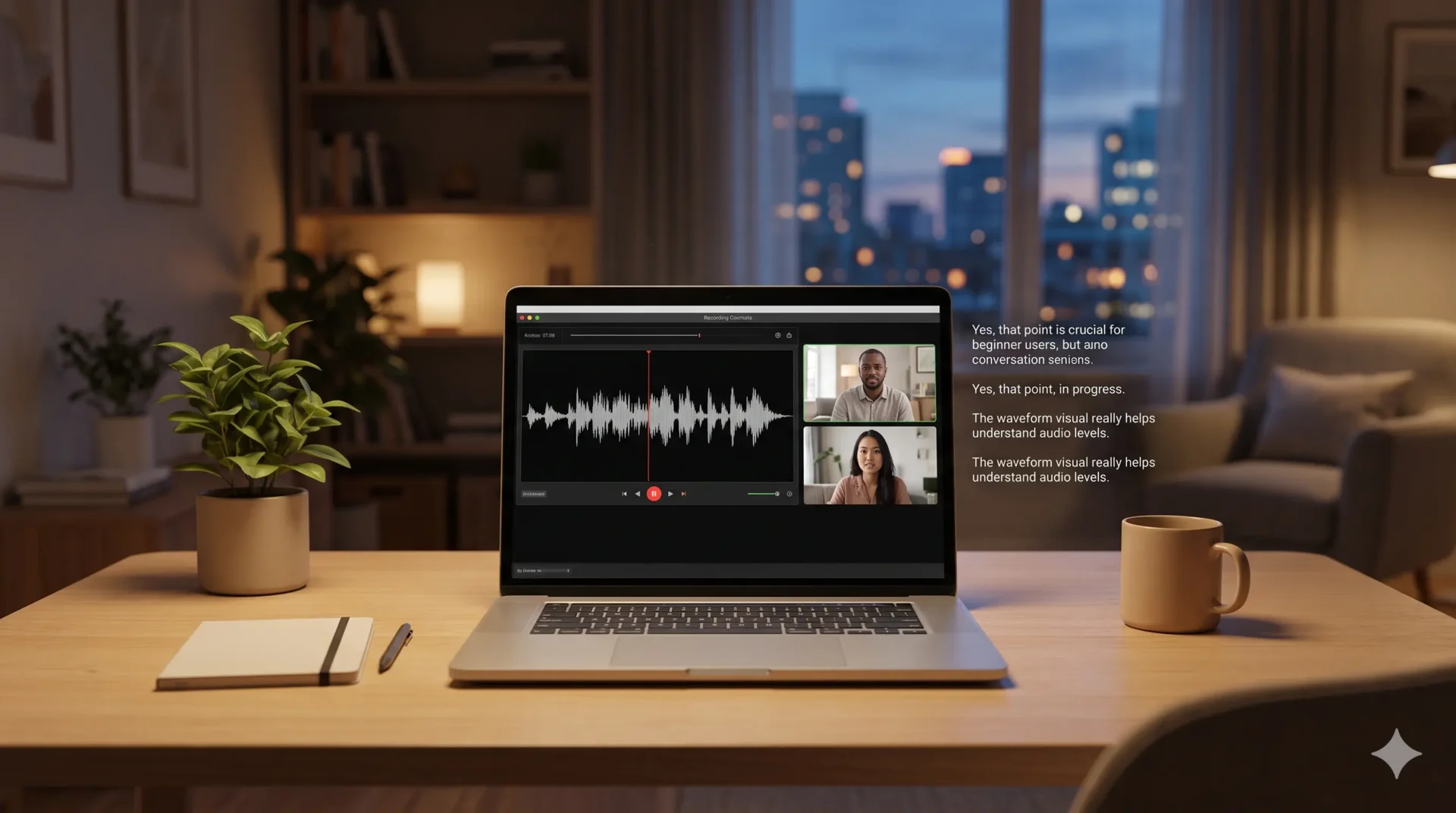
An AI meeting recorder captures audio from your calls or in-person conversations, converts it to text automatically, and stores a searchable transcript you can review anytime.
That might sound simple, but it replaces a surprisingly painful workflow. Before these tools existed, “recording a meeting” meant hitting record in Zoom, ending up with a 45-minute video file, and either watching the whole thing back or never looking at it again.
An AI meeting recorder does three things that video recording alone cannot:
- Converts spoken audio to searchable text within minutes of the call ending
- Identifies different speakers and labels their contributions separately
- Makes the content queryable: instead of scrubbing through video, you search for “budget” and jump straight to that moment
According to a 2025 Microsoft Work Trend Index report, knowledge workers spend an average of 57% of their working time in meetings or on email. AI recording tools are increasingly positioned as the practical solution to that time drain, helping professionals recover the substance of conversations without attending more meetings.
The distinction between an AI meeting recorder and an AI meeting note-taker is worth understanding. A recorder’s core job is accurate audio capture and transcription. A note-taker goes further: it structures that transcript into summaries, action items, and follow-up tasks. Many tools do both, but if your priority is reliable transcription you can trust, the recorder framing is the right one to start with.
Does an AI meeting recorder work on Mac and Windows?
Most AI meeting recorders support both Mac and Windows, but the installation method and audio permissions differ between the two operating systems.
On Mac, system audio capture requires explicit microphone and screen recording permissions under System Settings. Most tools handle this during setup with a guided walkthrough. On Windows, audio routing works slightly differently: tools tap into Windows audio mixer or use a virtual audio driver, which means a first-time setup step is required but is straightforward.
The tools that cause the most friction on Windows are those built primarily for Mac first. Granola, for example, launched on Mac and added full Windows support in 2024. If you are on Windows, it is worth confirming that the specific version you are installing has been updated within the last three months, since Windows audio driver compatibility can lag behind macOS releases.
One important note: web-based recorders like Fireflies.ai bypass the operating system entirely by joining as a bot through the meeting platform API. This means they work identically on any OS, but at the cost of adding a visible participant to your call.
The 5 Best AI Meeting Recorders for Mac and Windows
1. Granola — Best overall AI meeting recorder
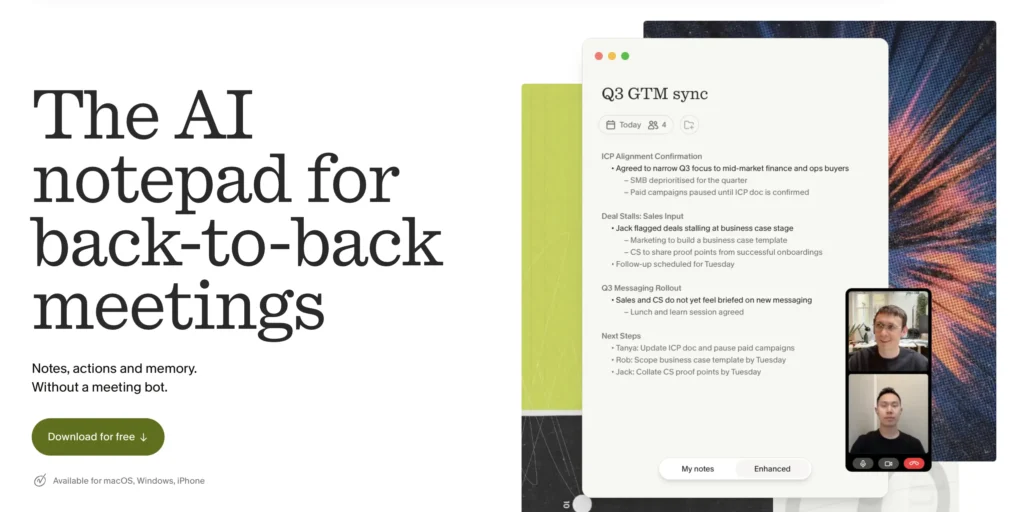
Granola records your computer’s system audio without a bot, then produces a clean transcript and structured notes within minutes of the call ending.
Granola sits in a category of its own because of how it handles recording. Rather than joining your call as a participant, it quietly listens to your system audio in the background. From your participants’ perspective, the meeting looks completely normal. There is no “Granola is recording this meeting” notification, no extra name in the participant list, and no permission requests mid-call.
We tested Granola across three weeks and more than 20 meetings on Zoom, Google Meet, and Microsoft Teams on both Mac and Windows. A few things stood out:
- Transcription accuracy is high. In back-to-back calls with multiple speakers, Granola consistently separated speakers correctly and kept up with fast-paced conversation.
- The AI chat feature is genuinely useful. After any meeting, you can ask “What did we agree on the pricing?” or “Draft a follow-up email” and get an answer based on that specific call’s transcript.
- Setup takes under three minutes. Download, grant audio permissions, and it runs silently from that point on.
- Works offline for recording. The transcription processes locally, which matters for anyone handling sensitive conversations.
The free tier gives you unlimited meeting recordings with access to notes from the past 30 days. The paid plan unlocks full history, team sharing, and advanced templates.
Granola raised a $125M Series C in early 2026, making it one of the best-funded tools in this category.
👉 Try Granola free on Mac or Windows
Best for: Professionals who need reliable, bot-free recording across Mac and Windows with AI-powered post-meeting search.
2. Fathom — Best free AI meeting recorder
Fathom is a bot-free AI meeting recorder with an unlimited free tier, making it the most accessible starting point for anyone trying AI recording for the first time.
Like Granola, Fathom records via your computer’s system audio rather than sending a bot into the call. Its unlimited free plan covers unlimited meetings, unlimited storage, and basic AI summaries. There is genuinely no catch on the free tier for individual users.
Where Fathom trails Granola: the AI layer is thinner. You get summaries and highlights, but the post-meeting chat and customizable note templates that make Granola feel like a proper thinking tool are missing. The interface is also more utilitarian. For pure recording and transcription, Fathom is excellent. For deeper AI functionality, Granola pulls ahead.
Best for: Users who want bot-free recording at no cost and do not need advanced AI features.
3. Otter.ai — Best for real-time captions and team access
Otter.ai joins meetings as a bot and generates live captions during the call, making it the strongest option for teams who want real-time transcription visible to all participants.
Otter has been in this space longer than most competitors and its transcription accuracy is well-established. The live caption feature is its strongest differentiator: during a call, Otter’s transcript appears in real time in a side panel, which is useful for accessibility and for keeping distributed teams aligned mid-meeting.
The bot joining the call is visible to everyone, which creates friction in client-facing contexts. The free tier covers 300 transcription minutes per month, dropping to 30-minute maximum sessions. For daily use, most professionals hit the limit quickly.
Best for: Teams who want live captions during calls and shared access to transcripts afterward.
4. Notta — Best for recording uploaded audio files and multilingual meetings
Notta transcribes live meetings and pre-recorded audio files in 58 languages, making it the strongest choice for multilingual teams or anyone with a backlog of recordings to process.
Notta’s standout capability is its file upload feature: you can drop in an MP3, MP4, or WAV file and get a transcript in minutes. This makes it genuinely useful beyond live meetings. If you have a recording from a conference, a podcast episode to transcribe, or a voice memo from your phone, Notta handles it.
The live meeting recording uses a bot that joins calls. Free tier covers 120 minutes per month across a maximum of 3 uploads. The language support is the broadest on this list.
Best for: Global teams and anyone who needs to transcribe pre-recorded audio in multiple languages.
5. Fireflies.ai — Best for sales teams with CRM workflow automation
Fireflies.ai joins meetings as a bot, then automatically pushes transcripts, summaries, and deal data to Salesforce, HubSpot, and 40+ other integrations.
Fireflies is not primarily a recording tool in the traditional sense. It is a meeting intelligence platform that happens to record. The distinction matters: if your priority is capturing audio reliably and reviewing it yourself, Fireflies is overkill. If your priority is getting meeting data into a CRM without manual data entry, it is the best option on this list.
The bot joins calls visibly, which is standard practice in most sales environments. Transcription accuracy is strong. Free tier covers 800 minutes of storage.
Best for: Sales professionals who want meeting recordings to feed automatically into CRM workflows.
Head-to-Head Comparison Table
| Tool | Bot-free | Mac | Windows | Free tier | Best for |
|---|---|---|---|---|---|
| Granola | Yes | Yes | Yes | 30-day history | Bot-free recording, AI chat |
| Fathom | Yes | Yes | Yes | Unlimited | Free bot-free recording |
| Otter.ai | No | Yes | Yes | 300 min/month | Live captions, team access |
| Notta | No | Yes | Yes | 120 min/month | Multilingual, file uploads |
| Fireflies.ai | No | Web-based | Web-based | 800 min storage | Sales/CRM automation |
Free vs. paid: what do you actually need?
For most individuals, the free tier of Granola or Fathom covers everyday recording needs. Paid plans become worthwhile when you need full transcript history, team sharing, or deep integrations.
Here is a practical decision guide:
Start free if you:
- Attend fewer than 10 meetings per week
- Only need notes from the past 30 days
- Are a solo user with no team sharing requirements
Consider upgrading if you:
- Need to search transcripts from meetings older than a month
- Share notes with a team regularly
- Want custom templates for different meeting types (sales calls, standups, client reviews)
According to Gartner’s 2025 Digital Workplace report, 74% of organizations now use at least one AI-powered meeting tool, up from 41% in 2023. The market has matured enough that free tiers are genuinely useful products, not stripped-down trials designed to frustrate you into upgrading.
Which AI meeting recorder should you choose?
The right AI meeting recorder depends on whether a bot joining your call is acceptable, and whether you need recording only or a full AI note-taking layer on top.
Use this guide:
- You want bot-free recording on Mac or Windows with the best AI features: Granola
- You want bot-free recording for free, no AI extras needed: Fathom
- Your team wants live captions during the call: Otter.ai
- You have existing recordings to transcribe or multilingual meetings: Notta
- You are in sales and want automatic CRM data entry: Fireflies.ai
Our overall recommendation is Granola. The combination of bot-free system audio recording, accurate transcription, and post-meeting AI chat makes it the most complete tool on this list for Mac and Windows users. The free tier is generous enough to use daily without hitting a wall.
Frequently Asked Questions
Is it legal to record meetings with an AI recorder?
Recording laws vary by country and state. In the US, federal law requires one-party consent, but 11 states require all-party consent including California, Florida, and Illinois. In the EU, GDPR applies and participants should generally be informed. The safest approach is always to notify participants at the start of the call. Many professionals add a brief note to calendar invites: “This meeting may be recorded for note-taking purposes.”
Will an AI meeting recorder work for in-person meetings?
Yes, if the tool uses your device’s microphone rather than a meeting platform API. Both Granola and Fathom record system audio, which includes your laptop microphone. Place your laptop near the center of a conference table and transcription accuracy will be reasonable, though not as high as in a direct headset or video call environment.
How accurate is AI meeting transcription?
Most leading tools achieve 85 to 95% transcription accuracy in ideal conditions: clear audio, minimal background noise, and native English speakers. Accuracy drops with heavy accents, fast speech, or multiple people talking over each other. Notta and Otter.ai perform best for non-English languages. All tools improve over time as you use them.
Can I use an AI meeting recorder without installing software?
Web-based tools like Fireflies.ai and Otter.ai work through your browser without a desktop install. The trade-off is that they join as a visible bot participant. Bot-free tools like Granola require a desktop app because they need access to your system audio at the OS level.
Does Granola work with Microsoft Teams?
Yes. Granola works with any meeting platform because it records your computer’s system audio rather than integrating directly with Teams, Zoom, or Meet. As long as you can hear the meeting audio through your speakers or headphones, Granola can record it.

1 comment
[…] audio from calls rather than dictating your own voice, that’s a different job — see our comparison of the best AI meeting recorders for Mac and Windows for that […]