
⚡ TL;DR — Key Takeaways
- The best AI meeting note-takers transcribe audio, generate summaries, and extract action items automatically
- Bot-free tools (Granola, Fathom) listen via your computer’s audio — no awkward bot joining the call
- Granola is our top pick for professionals in back-to-back meetings: clean notes, AI chat, and a generous free tier
- Otter.ai and Fireflies.ai are better if you need deep CRM integrations or team-wide collaboration
- All five tools on this list have a free plan — there’s no reason not to try at least one today
What is an AI meeting note-taker?
An AI meeting note-taker automatically transcribes your calls, generates structured summaries, and extracts action items — so you can focus on the conversation instead of typing furiously.
Before these tools existed, you had two bad options: miss half the meeting while scribbling notes, or record the call and never go back to re-watch it. AI note-takers solve both problems at once.
Here’s what a good one does during a 30-minute Zoom call:
- Records and transcribes everything said in real time
- Identifies speakers and timestamps key moments
- Generates a structured summary after the call ends
- Pulls out action items and next steps automatically
- Lets you search or ask questions about what was discussed
According to a 2025 Atlassian study, the average knowledge worker attends 62 meetings per month and considers more than half of them unproductive. AI note-takers don’t fix bad meetings — but they do make sure nothing important falls through the cracks afterward.
Bot vs. bot-free: which approach is better?
Bot-free AI note-takers record your computer’s audio directly, so no extra participant appears in the call. Bot-based tools join as a visible guest — useful for shared recordings, but often awkward with external clients.
Most people don’t realize there are two fundamentally different ways these tools work:
Bot-based tools (Otter.ai, Fireflies.ai, tl;dv) send a “Notetaker” or “AI Assistant” account into your meeting as a participant. Everyone in the call can see it. This works well for internal teams who’ve normalized it, but it can feel intrusive on sales calls, client meetings, or sensitive discussions.
Bot-free tools (Granola, Fathom) tap into your computer’s system audio instead. No bot joins the call. From your participants’ perspective, the meeting looks completely normal.
In a 2024 survey by Loom, 43% of respondents said they felt uncomfortable when an AI bot joined a call they hadn’t expected. If you’re in client-facing or executive roles, bot-free is almost always the right choice.
The 5 Best AI Meeting Note-Takers in 2026
1. Granola — Best overall for professionals in back-to-back meetings
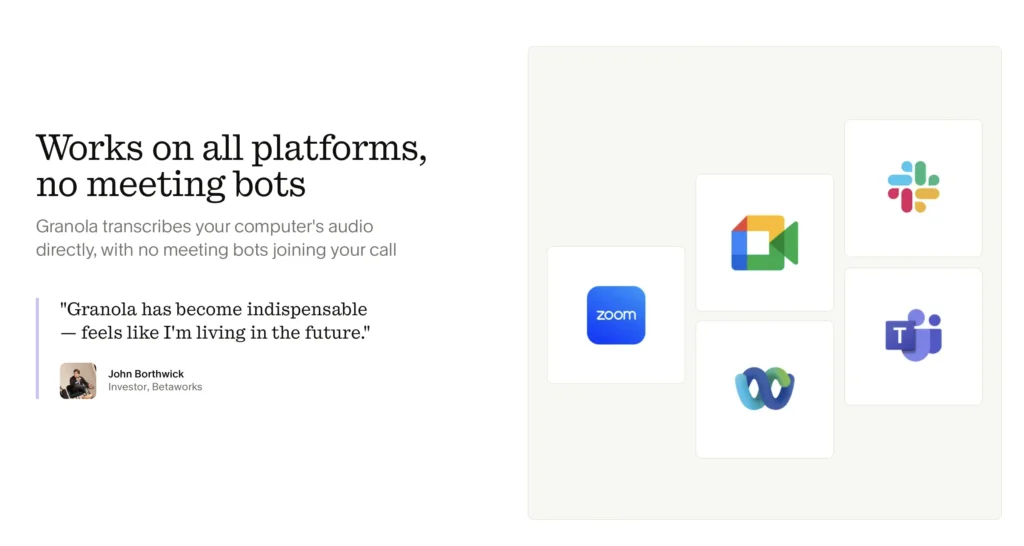
Granola is a bot-free AI notepad that listens via your computer’s audio, then instantly transforms your rough jots into polished, structured meeting notes.
We tested Granola across three weeks and 20+ meetings on Zoom, Google Meet, and Microsoft Teams. The setup takes under two minutes: download the app, give it audio permissions, and it quietly runs in the background from that point on.
What makes Granola stand out from the crowd:
- No bot joins your call. Participants never know it’s running unless you tell them.
- You still take lightweight notes during the meeting — Granola enhances them rather than replacing them, which results in more accurate, context-aware summaries than pure transcription alone.
- AI chat is built in. After any meeting, you can ask “What did they say their budget was?” or “Write a follow-up email” and get an instant answer based on that specific conversation.
- Customizable templates for different meeting types: 1:1s, customer discovery calls, sales pitches, standups.
- Works on macOS, Windows, and iPhone.
The free tier lets you take unlimited meeting notes, with access to notes from the past 30 days. The paid plan unlocks full history and team features.
Granola recently raised a $125M Series C — one signal that this tool is here to stay.
Best for: Professionals in frequent back-to-back meetings who want clean notes without a bot in the room.
2. Fathom — Best free bot-free option
Fathom is a bot-free AI meeting recorder with an unlimited free tier — the most generous free plan in this category.
Like Granola, Fathom records via your computer audio without sending a bot into the call. Its free plan has no meeting limit, which makes it a great starting point if you’re not ready to commit to a paid tool.
Where Fathom falls short compared to Granola: the AI chat functionality is less developed, the note-taking is more passive (you’re not encouraged to jot context during the call), and the UI is more utilitarian. It’s excellent for simple transcription and summaries, but lacks Granola’s “notepad + AI” depth.
Best for: Budget-conscious users who want bot-free recording without paying anything.
3. Otter.ai — Best for team collaboration
Otter.ai is one of the most established AI transcription tools, with strong real-time collaboration features and a widely recognized brand.
Otter uses a bot that joins your meetings, so it’s visible to all participants. That’s a trade-off worth making if your team needs shared access to notes, live captions during calls, or tight integration with tools like Salesforce and HubSpot.
Its real-time transcription is fast and accurate, and the mobile app is excellent. The free tier limits you to 300 transcription minutes per month — enough to evaluate it, but restrictive for daily use.
Best for: Teams who want shared, collaborative meeting notes with CRM integrations.
4. Fireflies.ai — Best for sales teams with CRM workflows
Fireflies.ai joins meetings as a bot and automatically syncs notes, action items, and deal data to Salesforce, HubSpot, Notion, and 40+ other tools.
Where Fireflies shines is the downstream automation. After a sales call, it can log the conversation summary to a CRM deal, flag competitor mentions, and score the call based on talk-time ratios. For sales teams running high volumes of discovery calls, this is genuinely powerful.
The bot-joining approach is normalized in most sales environments, so the visibility issue matters less here. The free tier is limited (800 minutes of storage), and the most useful features sit behind the Pro plan at $18/month.
Best for: Sales professionals who want AI-powered CRM automation from every call.
5. tl;dv — Best for reviewing recorded video calls
tl;dv lets you clip, timestamp, and share key moments from recorded meetings — useful for async teams who review calls after the fact.
tl;dv works differently from the others: its primary strength is creating highlight reels from recorded meetings, not just generating text summaries. You can mark moments during a call, then share a clipped video of just the relevant 90 seconds with a teammate.
It’s more of a “video search and sharing” tool than a pure note-taker. The bot joins calls visibly. Free tier covers unlimited recordings with limited AI features.
Best for: Async-first teams and UX researchers who share call recordings internally.
Head-to-Head Comparison Table
| Tool | Bot-free | Free tier | AI chat | Platforms | Best for |
|---|---|---|---|---|---|
| Granola | ✅ | ✅ (30-day history) | ✅ | Mac, Win, iOS | Back-to-back meeting pros |
| Fathom | ✅ | ✅ Unlimited | ❌ | Mac, Win | Budget-conscious users |
| Otter.ai | ❌ | ✅ 300 min/month | ✅ | Web, iOS, Android | Team collaboration |
| Fireflies.ai | ❌ | ✅ Limited | ✅ | Web | Sales/CRM users |
| tl;dv | ❌ | ✅ Unlimited recordings | ✅ | Web | Video review & async teams |
Which Tool Should You Choose?
The right AI meeting note-taker depends on one question: does a bot joining your call matter?
If you’re in client-facing meetings, sales calls, or senior-level discussions — go bot-free. Between the two bot-free options, Granola is the better product if you want AI chat and a polished experience. Choose Fathom if cost is the primary concern.
If your meetings are internal and your team has already normalized AI bots in calls, Otter.ai is the most proven choice for collaboration, and Fireflies.ai wins if you’re in sales and live inside a CRM.
Our overall verdict: Granola is the most thoughtfully designed tool in this category. The combination of bot-free recording, lightweight in-meeting note-taking, and post-meeting AI chat makes it feel genuinely different from the competition — less like a transcription service, more like a working memory for your professional life.
👉 Start with Granola’s free plan here — no credit card required, unlimited notes for the past 30 days.
Frequently Asked Questions
Are AI meeting note-takers safe to use?
Most reputable tools use end-to-end encryption and give you control over data retention. Granola is private by default — notes aren’t shared unless you choose to share them. Always check the privacy policy and disable any data-training opt-ins if that’s a concern for your organization.
Do I need to tell participants I’m recording?
Yes — in most countries, recording laws require at least one-party consent, and many require all-party consent. Even where it’s legal to record without disclosure, informing participants is the professional standard. If using a bot-free tool like Granola, consider adding a note to your calendar invite.
Can AI note-takers replace a human assistant?
AI note-takers handle transcription, summaries, and action items well, but they miss nuance, tone, and relationship context that a skilled human assistant would catch. Think of them as a complement to your judgment, not a replacement.
What’s the difference between an AI note-taker and a transcription tool?
A transcription tool converts speech to text verbatim. An AI note-taker goes further: it structures the content, identifies action items, generates summaries, and often lets you ask follow-up questions about the conversation. Granola is an AI notepad — a step above basic transcription.
Does Granola work with in-person meetings?
Yes. Since Granola uses your computer’s microphone (not a meeting platform API), it works for any audio situation — video calls, phone calls, or in-person conversations near your laptop.
