

An ai voiceover generator can turn a typed script into broadcast-ready audio in minutes, with no recording booth, no voice actor hire, and no retake sessions. For lean marketing teams that regularly need narrated demos, social ads, or training content, that promise is genuinely useful. But like every AI shortcut, the value depends on how well it fits the specific work you are trying to do. This guide walks through Murf AI as a practical starting point, maps the use cases where it delivers, and is honest about the places where it still falls short.
What Is an AI Voiceover Generator and How Does Murf AI Work?
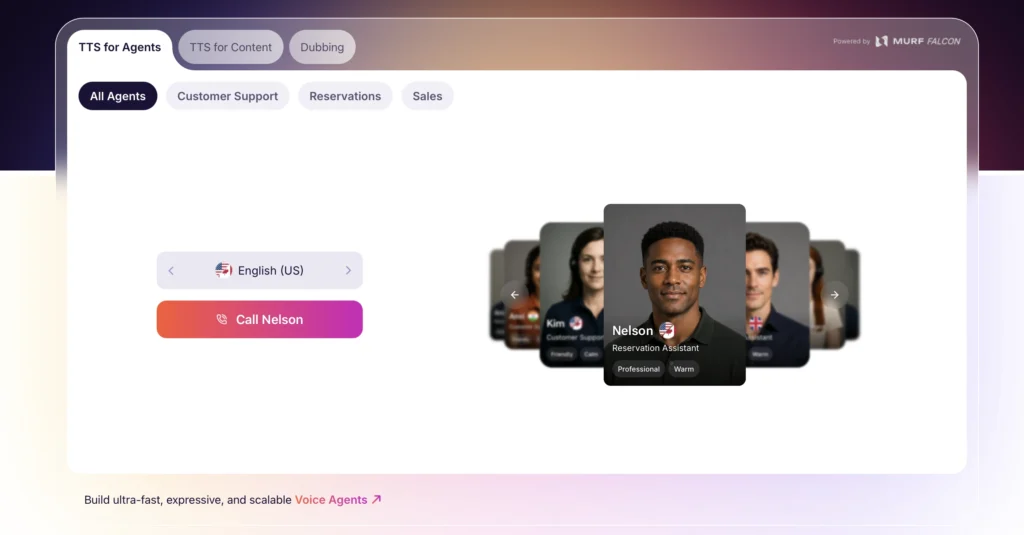
An AI voiceover generator converts written text into spoken audio using a deep-learning speech model trained on human voice recordings. Murf AI is a cloud-based platform that does exactly this, offering a library of over 120 voices across more than 20 languages, with controls for speaking rate, pitch, emphasis, and emotional tone. You paste or type your script into the Murf Studio editor, choose a voice, adjust parameters, and render an audio or video file. The whole cycle from blank script to downloadable MP3 can realistically take under ten minutes for a short piece.
Murf operates on a tiered subscription model. A free plan gives you a limited amount of render time to explore the interface. Paid plans start at approximately $19 per month (billed annually) and add commercial usage rights, higher render minutes, and access to the full voice library. Higher tiers unlock team collaboration, priority rendering, and voice cloning. The free tier is genuinely useful for evaluation, though the render cap means it is not a practical long-term free option for active marketing output.
You can try Murf AI directly at Murf AI’s voiceover studio to hear how the voices sound against your own scripts before committing to a plan.
Five Marketing Use Cases Where an AI Voiceover Generator Earns Its Cost
AI voiceover tools deliver the most measurable value in specific content workflows. Here are the five where Murf AI, in particular, consistently pulls its weight for marketing teams.
1. Explainer Videos and Product Demos
Short-form product demos and explainer videos are the native habitat of an AI voiceover generator. The script is usually tight, the tone is professional and conversational, and there is no emotional complexity that would challenge the AI model. Murf’s voices handle paced, clear narration well, and the built-in video editor lets you upload slides or screen recordings and sync the voiceover directly inside the platform, without needing a separate video tool for basic productions.
2. Social Media Ad Narration
Short-form ad scripts (15 to 60 seconds) are another strong fit. Canva’s research on AI voice technology trends notes that AI voiceover has found its way into short-form digital advertising, helping smaller teams scale campaigns even with limited budgets. Generating multiple voiceover variants for A/B testing ad creative becomes practical when each version costs only minutes of render time rather than a day of studio coordination.
3. E-Learning and Internal Training Narration
Training decks and onboarding modules are among the most time-consuming content types for marketing and enablement teams to produce. A consistent AI narrator means you can update a module, re-render the affected slides, and publish the revision the same day. This is a genuine operational advantage over recorded human narration, where a single slide change can require rescheduling a voice talent session.
4. Multilingual Content Localization
Murf supports voices across more than 20 languages. For teams running campaigns in multiple regions, this means a single script revision and voice swap can generate a localized version without engaging a multilingual voice artist. The quality of non-English voices varies across the library, so this use case rewards careful pre-production testing, but the time savings for straightforward localization are real.
5. Podcast Intros, Outros, and Segment Transitions
Branded podcast production often needs short voiced segments that frame the show but do not require a full human host recording. AI-generated intros and transition cues work well here. You can lock in a consistent voice persona and re-render updated episode numbers or dates in seconds, keeping brand audio consistent without re-booking a human narrator each week.
How to Set Up Your First Murf AI Project: A Beginner Workflow
The setup process is straightforward, and most beginners are producing audio within their first session. Here is a repeatable workflow for anyone starting out.
- Create your account and choose a plan. Start with the free tier to explore voices and the editor. If you need commercial rights from day one, move to the Basic plan. You can start at Murf AI’s studio page to get your account set up.
- Write or paste your script. Keep sentences short and punchy. AI voices handle direct, active sentences better than complex nested clauses. Avoid abbreviations the model might mispronounce, and spell out acronyms phonetically where needed.
- Browse and audition voices. The library is large. Filter by language, gender, age range, and use case. Always audition a voice against your actual script, not the demo clip, before committing. Some voices handle certain word types differently than their demo suggests.
- Adjust delivery parameters. Use speed, pitch, and emphasis controls to refine the read. Murf allows you to highlight individual words and increase emphasis, which can fix flat delivery on key terms. Adding a deliberate pause before important points also improves the listener experience significantly.
- Preview and fix pronunciation errors. Run through the full audio preview before rendering. Watch for brand names, product names, or technical terms the model mispronounces. Murf includes a pronunciation editor where you can add custom phonetic spellings for tricky words.
- Export and integrate. Download as MP3 or WAV. If you used the video editor, export the finished video in HD. For social use, check the output against platform audio normalization requirements before uploading.
Where Murf AI Hits Real Limits: An Honest Assessment
An AI voiceover generator is not a universal replacement for human voice talent. Understanding the gaps is essential before you commit production workflows to the tool.
Emotional Range Is Narrower Than It Sounds
Murf’s voices sound professional and natural for informational delivery. For content that needs genuine emotional warmth, urgency, humor, or intimacy, the AI still reads as slightly flat to attentive listeners. Brand content where emotional authenticity is a core message, such as cause marketing or executive communications, is better served by a human narrator. The AI shines on informative rather than evocative content.
Pronunciation Requires Regular Manual Correction
Brand names, technical product terminology, proper nouns, and unusual compound words frequently need manual phonetic correction. This is not a dealbreaker, but it adds a proofreading step that beginners often overlook. Budget time for an audio QA pass on every render, especially for first-time scripts with unusual vocabulary.
Voice Cloning Has Real Ethical and Legal Overhead
Higher-tier Murf plans include voice cloning, which lets you create a custom AI voice modeled on a real person’s recordings. This is a powerful feature, but it introduces consent, legal, and brand reputation considerations that marketing teams need to manage carefully. Do not treat it as a plug-and-play feature without appropriate governance.
The Free Plan Is Limited for Real Production Use
Ten minutes of render time is enough to evaluate the platform but not enough to sustain any real content workflow. Teams planning to use Murf for ongoing production should budget for at least the Basic plan from the start, rather than discovering the cap mid-project.
Google Slides and Some Integrations Require Higher Plans
Some integration features, including the Google Slides add-on for certain collaboration workflows, are gated behind higher-tier plans. This has caught users off guard after setup. Check the plan comparison page before building a workflow that depends on a specific integration.
Murf AI vs. Other AI Voiceover Generators: Where It Fits
Murf AI is not the only option in this space. Adobe Firefly’s Generate Speech model, ElevenLabs, and platform-native tools like Canva’s built-in AI voice generator all compete for similar use cases. Here is how Murf positions relative to the main alternatives for a marketing team.
- Adobe Firefly (Generate Speech): Commercially safe model with tight integration into Adobe Creative Cloud. Better choice if your team already lives in Premiere or After Effects. Voice variety is more limited than Murf’s library, but the workflow integration is cleaner for video production teams.
- ElevenLabs: Stronger emotional range and more nuanced voice quality at the top end. More expensive and more technically demanding. Better for long-form audio content like audiobooks or premium podcast production where quality is the primary constraint.
- Canva’s built-in AI voice: Convenient for teams already using Canva for design, but limited in voice selection and customization. Good for quick social video narration, not for dedicated audio production.
Murf AI occupies a practical middle ground: more voice variety and production control than lightweight platform tools, easier to start with than ElevenLabs, and not locked into any single creative ecosystem. For a team new to AI voiceover, it is a reasonable first tool. You can explore it with no credit card required on the free plan via Murf AI’s free trial.
Practical Tips for Better AI Voiceover Output
Getting good results from any AI voiceover generator is partly about the tool and partly about how you write for it. These practices make a measurable difference.
- Write shorter sentences. AI voices handle sentence lengths of 15 to 20 words significantly better than longer constructions. Break complex ideas into sequential sentences rather than embedding clauses.
- Avoid punctuation traps. Ellipses, dashes, and heavy comma use can disrupt AI pacing in unexpected ways. Use periods to create deliberate pauses instead.
- Test multiple voices before scripting is finalized. The right voice for your content is easier to find before the script is locked. Voice selection can also influence script tone during editing.
- Normalize your output audio. AI-generated audio often needs a simple loudness normalization pass before it meets broadcast or platform standards. A free tool like Auphonic or Adobe Podcast’s enhance feature handles this quickly.
- Keep a pronunciation dictionary. Build a shared document of phonetic spellings for brand names and technical terms your team uses regularly. Paste these into each new project’s pronunciation settings to save the correction round.
Frequently Asked Questions
Is Murf AI suitable for complete beginners with no audio production experience?
Yes. Murf is specifically designed to be usable without audio engineering knowledge. The interface is browser-based, scripts are typed directly into the editor, and voice adjustments use simple sliders. Most beginners report feeling comfortable with the platform within their first project session.
Can I use Murf AI voiceovers in commercial marketing materials?
Commercial usage rights are included from the Basic paid plan upward. The free plan does not include commercial rights, so any output intended for published ads, branded videos, or client-facing content requires at minimum the Basic plan subscription.
How many languages does Murf AI support?
Murf AI currently supports voices across more than 20 languages, with over 120 voices in its library. Language coverage for localization use cases varies in voice quality across the library, so testing with your target language before committing to a multilingual workflow is strongly recommended.
What types of content are a poor fit for AI voiceover generators?
Content that relies heavily on emotional authenticity, such as executive statements, cause marketing, customer testimonials, or nuanced humor, tends to sound flat with current AI voices. High-stakes brand communications where voice warmth and credibility are central to the message are better served by human narrators.
How does Murf AI compare to ElevenLabs for marketing use?
ElevenLabs offers higher voice quality and stronger emotional range, making it a better fit for premium long-form audio. Murf is easier to onboard for beginners, offers more voice variety in its library, and integrates better with video production workflows inside its own studio. For most marketing teams starting with AI voiceover, Murf’s value-to-complexity ratio is more practical.
Sources
- Canva: AI Voice Technology: Its Evolution, Applications, and Impact
- Adobe Firefly: Free AI Voice Generator
