
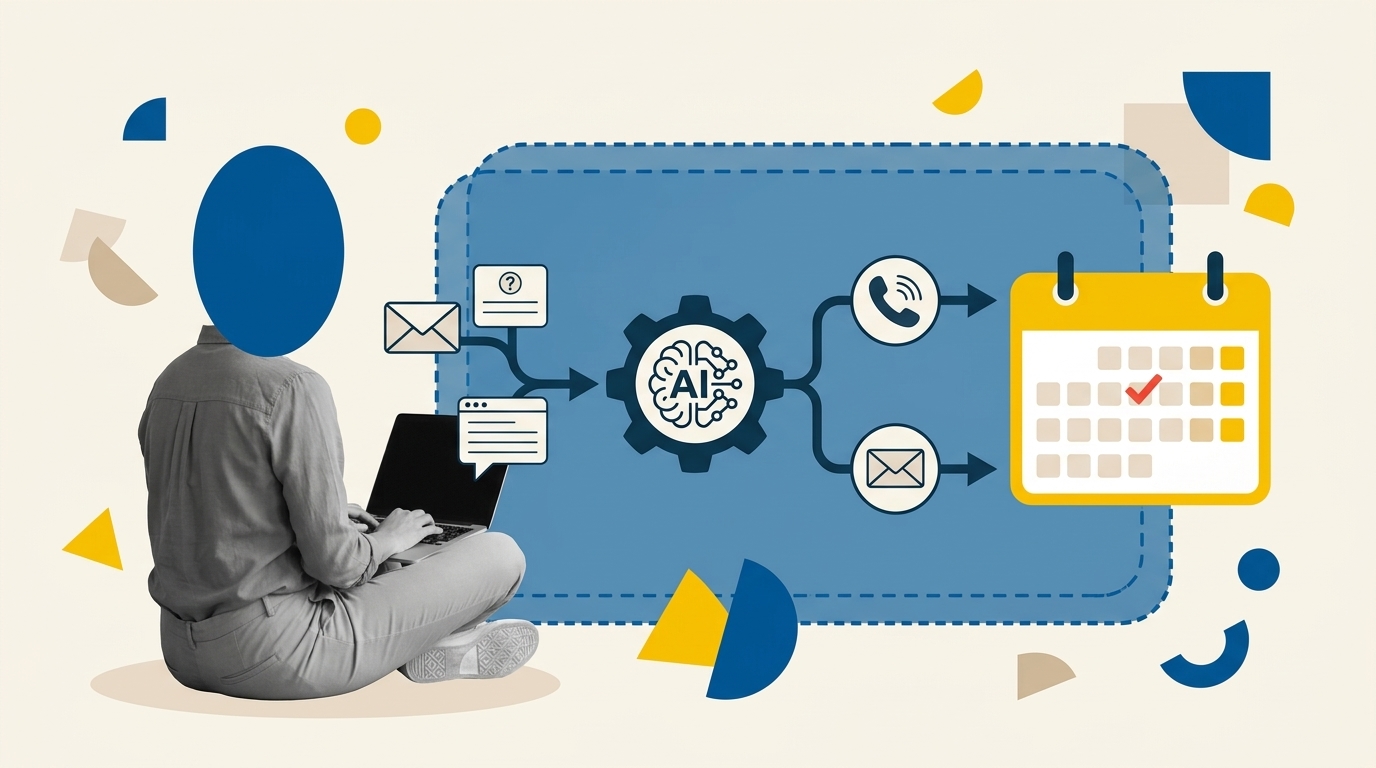
When a prospective client submits a contact form on a service business website, the clock starts ticking immediately. Most small service firms, such as consulting practices, specialized agencies, and trade contractors, face an operational dilemma: send an immediate, generic autoresponder that provides zero real value, or wait hours until a human operator has time to review the submission and write a thoughtful email. A structured, no-code AI lead follow-up workflow solves this tension by combining the speed of webhook automation with the contextual comprehension of large language models, allowing lean teams to validate lead intent, draft grounded responses, and deliver appointment links within minutes while preserving human safety checks.
Key Takeaways
- Speed to lead is critical, but generic autoresponders fail to build momentum; context-grounded AI drafts deliver personalized acknowledgment without operational overhead.
- Automated AI messaging must strictly adhere to verified knowledge sources (such as fixed service menus and explicit pricing rules) to prevent hallucinations and unapproved commercial promises.
- A resilient workflow requires human approval routing for high-stakes, custom, or ambiguous requests rather than trusting total autonomy.
- Clear privacy consent on inbound forms and friction-free direct calendar links are essential foundations for compliant, conversion-oriented follow-up.
The Lead Response Challenge in Service Firms
For independent consultancies and boutique service providers, conversion rates degrade rapidly as the interval between enquiry and first personalized response widens. A buyer seeking an advisory assessment or commercial proposal usually contacts two or three firms simultaneously. If an agency takes twenty-four hours to reply manually, competitors who respond promptly often secure the discovery call first.
While earlier operational guides have explored predictive qualification models (such as our framework for automated lead scoring), lead follow-up focuses on a separate growth challenge: immediate responsiveness, message quality, and booking friction reduction. Standard email auto-replies (“Thanks for reaching out, we will get back to you in 1-2 business days”) confirm technical delivery but contribute nothing toward qualifying the prospect or advancing the sale. Conversely, fully autonomous AI agents that promise fixed project quotes or negotiate deliverables unsupervised present severe liability risks. The solution is an intermediate architecture: automated real-time parsing, tightly constrained response drafting, and transparent routing to human review whenever needed.
Architecture of an Enquiry-to-Appointment Workflow
An effective lead follow-up workflow operates across five clear stages: capture, parsing, drafting, routing, and booking prompt. Rather than executing on a periodic schedule, the workflow should trigger instantly using an inbound HTTPS POST request via a dedicated webhook, as outlined in the official Make Webhook Documentation. Instantaneous execution prevents polling delays and establishes a responsive communication loop.
Here is how the data moves through the swimlanes of your tech stack:
- Front-End Web Form: Captures contact details, project type, budget range, preferred timeline, and explicit marketing/contact consent.
- Integration Layer (Make): Receives the payload instantly, parses data, checks CRM records to prevent duplicate contact creation, and formats inputs for the model.
- Language Model (OpenAI API / Claude API): Ingests the enquiry alongside an immutable system prompt containing the company service catalog, qualification rules, and negative guardrails. It categorizes the request and drafts a specific response.
- CRM System (HubSpot / Pipedrive): Updates or creates the deal, records the parsed fields, stores the drafted reply, and sets urgency flags.
- Communication Engine: Dispatches the grounded confirmation email containing an integrated booking link if the request meets direct-scheduling criteria, or routes the record to a sales manager for review if manual pricing is required.
Step-by-Step: Building the No-Code Workflow
Building this workflow requires no custom programming. Using Make as your visual orchestrator and an enterprise CRM such as HubSpot, you can assemble the complete pipeline in five distinct steps.
Step 1: Capture Inbound Enquiries with Explicit Consent
Your web contact form (built on Webflow, WordPress, or HubSpot Forms) must capture essential data without creating excessive friction. At a minimum, include: Full Name, Business Email, Company Name, Service Needed (dropdown), Project Scope / Core Challenge (open text), and an explicit consent checkbox.
Regulatory frameworks such as the GDPR in Europe and marketing guidelines from regulators like the UK Information Commissioner’s Office require transparent consent when processing user information and initiating marketing communications. Ensure your form clearly discloses how enquiry details will be used. For an operational breakdown on regulatory safeguards, review our detailed guide to using AI tools under GDPR.
Step 2: Parse and Validate Inbound Data
In Make, connect your webhook trigger to a data validation filter. Verify that the email is a valid syntax string and that the name field does not contain malicious code or empty characters. Use an email lookup module to check your CRM for existing records. If the lead already exists and has an active sales conversation, route the submission as an internal notification note rather than sending an automated booking sequence, avoiding conflicting messaging.
Step 3: Grounded AI Analysis and Draft Generation
Pass the sanitized submission into an LLM module (such as OpenAI GPT-4o-mini or Claude 3.5 Sonnet). Using structured JSON output ensures that the model outputs strictly defined fields: lead_category, urgency_rating, requires_human_review, confidence_score, and email_draft_body. The developer principles behind this are detailed in the official OpenAI Structured Outputs Guide, which guarantees output adherence to predefined schema specifications.
To prevent hallucinations, feed the model an absolute service truth base: exactly what services you offer, typical scope boundaries, and standard timelines. Instruct the model never to fabricate turnaround times, never to promise firm pricing, and to decline out-of-scope inquiries politely.
Step 4: Update the CRM and Manage Routing
Using the structured JSON returned by the model, create or update a Contact and Deal record in your CRM. Map the extracted intent, urgency score, and draft text directly to custom CRM properties.
Set a Make router with two logic paths:
- Path A (Standard Qualification): If
requires_human_reviewisfalse, trigger an immediate transactional email acknowledging their specific challenge and inviting them to select an appointment slot. - Path B (Custom / High-Risk Inquiry): If
requires_human_reviewistrue(due to custom enterprise requirements, pricing inquiries, or unclear parameters), create an urgent task in the CRM for the sales lead, paste the AI draft into the task notes as an editable starting point, and alert the team via Slack.
Step 5: Facilitate Instant Appointment Booking
The primary conversion failure point in service business inquiries is scheduling friction. Instead of writing “Let me know what times work for you,” embed an integrated scheduling link directly in the acknowledgment email. Tools like the native scheduling features detailed in the HubSpot Meetings Tool Overview sync directly with the sales representative calendar, verify real-time availability, and eliminate manual back-and-forth negotiation.
Copyable Grounded Prompt Template
Here is an operational, production-ready prompt template designed for structured JSON completion in your automation module. Adjust the service catalog parameters to match your actual firm offerings.
// SYSTEM PROMPT: Service Lead Intake & Response Engine
You are the intake qualification assistant for Apex Financial Advisory, a boutique consultancy providing financial modeling, outsourced CFO support, and tax planning for companies with $1M to $10M in annual revenue.

### SERVICE CATALOG RULES:
1. Financial Modeling: Feasibility models, investor deck packages. Minimum engagement: 2 weeks.
2. Outsourced CFO: Monthly advisory retainer for companies with at least 5 staff. Minimum contract: 3 months.
3. Tax Planning: Commercial tax strategy. We DO NOT handle individual personal tax returns.
4. We NEVER provide fixed pricing quotes via email. Discovery calls are mandatory for scoping.

### OBJECTIVE:
Analyze the incoming lead message. Output a valid JSON object matching the required schema.
- Evaluate if the request matches our services.
- Assign an urgency score (Low, Medium, High).
- Set `requires_human_review` to TRUE if the user requests custom pricing, asks about services outside the catalog, or appears ambiguous.
- Draft a warm, concise, professional reply acknowledging their exact situation and proposing a 20-minute discovery consultation.

### JSON RESPONSE FORMAT:
{
  "lead_category": "Financial Modeling | Outsourced CFO | Tax Planning | Out of Scope",
  "urgency_rating": "Low | Medium | High",
  "requires_human_review": boolean,
  "reason_for_review": "string or null",
  "email_subject": "string",
  "email_draft_body": "string"
}
Three Critical Guardrail Scenarios
A reliable automation system must handle edge cases gracefully. Here is how your workflow logic should manage three common operational scenarios.
Scenario 1: Out-of-Hours Enquiries
Prospective clients frequently submit forms late at night or during weekends. Sending an instant, hyper-personalized email at 2:00 AM can feel artificial and raises questions about responsiveness expectations. In your Make scenario, insert a date-and-time evaluation module:
- If submitted during business hours (e.g., 08:30 to 18:00 local time), dispatch the response within five minutes.
- If submitted out-of-hours, generate the draft and queue the email delivery to fire automatically at 08:15 AM on the next business day. This sets healthy communication boundaries while ensuring your email sits at the top of the prospect’s inbox in the morning.
Scenario 2: Unclear or Low-Intent Requests
When a prospect enters vague text such as “need help with business” or “send info,” the model should not attempt to guess or hallucinate solutions. When the intent classification confidence is low, set requires_human_review to true. The automated system can dispatch a gentle, open-ended clarifying reply: “Thanks for reaching out. To ensure we connect you with the right specialist, could you share a few details about your primary business challenge?” Meanwhile, no calendar booking link is extended until intent is confirmed.
Scenario 3: Explicit Opt-Outs or Human-Only Preference
Occasionally, an enquirer will explicitly state: “Do not call me,” “Please provide an answer by email only,” or “I want to talk to an actual director, no automated replies.” The system prompt must parse negative preferences into a dedicated CRM field (e.g., Communication_Preference = Email_Only). If an enquiry requests human review, the automated sender must halt immediately, log the note, and trigger an internal notification for manual handling.
CRM Field Mapping and KPI Measurement
To keep your sales operations clean and evaluate whether this workflow delivers tangible conversion gains, you must establish strict field mapping and track precise operational metrics.
Recommended CRM Field Mapping
| Inbound Form Field | AI Parsed Value | Target CRM Property | Field Type |
|---|---|---|---|
| Form: Service Dropdown | lead_category | Deal: Primary Service Interest | Single Select |
| Form: Scope Description | urgency_rating | Contact: Lead Urgency | Single Select |
| N/A (AI Logic Check) | requires_human_review | Deal: Manual Review Required | Boolean (True/False) |
| N/A (AI Extraction) | email_draft_body | Activity: Stored AI Response Draft | Multi-line Text |
KPI Tracking Framework
Do not rely on vanity metrics like open rates. Evaluate your lead follow-up performance using four conversion-focused indicators:
| Metric Name | Measurement Formula | Operational Goal |
|---|---|---|
| First Response Latency | Timestamp of First Outbound Email – Timestamp of Form Submission | Under 10 minutes during business hours |
| Response Engagement Rate | (Leads who reply to email or click scheduling link / Total emails sent) * 100 | Track trend baseline across campaigns |
| Enquiry-to-Appointment Rate | (Confirmed calendar discovery bookings / Total inbound enquiries) * 100 | Primary workflow conversion benchmark |
| Human Review Escalation Rate | (Enquiries flagged with requires_human_review = true / Total enquiries) * 100 | Monitor prompt grounding and boundary drift |
By implementing this structured, no-code workflow, small service businesses eliminate response latency, avoid the credibility pitfalls of generic autoresponders, and guide qualified prospective clients directly onto the calendar with zero manual overhead.
Frequently Asked Questions
Can an AI workflow give accurate pricing quotes directly to prospects?
No, allowing an AI model to issue binding price quotes in automated emails is high risk. Custom service pricing depends on unique project complexities, team capacity, and liability scope. The model should explain standard engagement minimums or scoping structures as defined in your knowledge base, while prompting the lead to schedule a discovery session for a formal commercial proposal.
What happens if the AI model misunderstands a lead message?
Setting strict JSON output schemas with clear guardrail flags mitigates this issue. If the model encounters an ambiguous request or an unrecognized industry term, it sets requires_human_review to true. The automation then bypasses the direct email sender and routes the submission to an internal CRM task for manual review by a team member.
Does sending automated AI follow-ups comply with privacy laws?
Yes, provided your form contains unambiguous data processing disclosures and complies with regulations such as the GDPR or CAN-SPAM. Under transactional exceptions, responding directly to an explicit inbound enquiry with relevant information requested by the user is legally permissible. However, you cannot automatically subscribe that enquirer to broad marketing newsletters without separate opt-in consent.
How much does it cost to run this automation stack?
For a typical small service business processing 50 to 200 leads per month, the operational software cost is modest. A standard paid tier on Make (typically starting around $9 to $16 monthly), free or starter CRM tiers on HubSpot, and API usage fees on OpenAI or Anthropic (usually pennies per lead when using optimized lightweight models like GPT-4o-mini) keep the total running cost well under $50 per month.
