

Voice to text AI has gone from novelty to genuine workflow lever for content teams who need to produce more without burning out. If you have looked into making dictation a serious part of your content process, you have almost certainly come across Wispr Flow, an AI-powered dictation tool that converts natural speech into clean, formatted text inside whatever app you are already using. This article walks through exactly how Wispr Flow fits into a practical content workflow, where it earns its keep, where it falls short, and what alternatives exist if it is not the right fit for your team.
Why Voice to Text AI Matters for Content Teams Right Now
Voice to text AI matters because typing is often the bottleneck, not thinking. Research published by Adobe Express found that teams using AI for both content creation and automation produce 75% more content per week than teams that do not use AI tools at all. Content ideation, last-minute requests, and resource constraints are the top reported production bottlenecks. Dictation attacks the resource constraint directly by letting one person output at the speed of thought rather than the speed of their typing.
Most people speak at roughly 130 words per minute but type at somewhere between 40 and 60. If you are producing blog posts, email sequences, briefing documents, or social copy at volume, that gap compounds every single day. Voice to text AI does not replace editing or strategic thinking. It removes the mechanical friction between your ideas and a usable first draft.
What Wispr Flow Actually Does
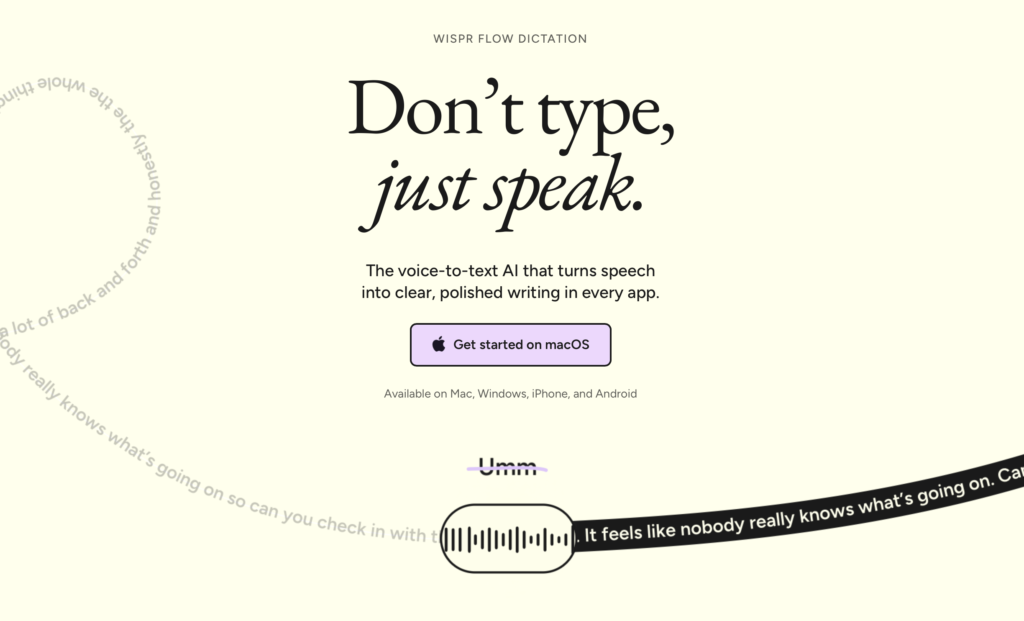
Wispr Flow is a system-level dictation layer for Mac, Windows, and iOS that inserts cleaned text directly into whichever text field your cursor is in. Press a hotkey, speak naturally, release, and polished text appears. That is the core behaviour.
What separates it from built-in voice dictation on macOS or Windows is the AI post-processing layer. Wispr Flow strips filler words, corrects grammar on the fly, and adjusts tone based on the application context. Speaking into Gmail produces a differently formatted output than speaking into Notion or a Slack message field. According to the official product listing on the Microsoft Store, Flow works inside Outlook, Word, Teams, browsers, ChatGPT, and Claude, covering the full stack most marketing teams already use.
Key features worth knowing before you commit to a trial:
- Universal text insertion: Works in any app with a text field, no copy-paste required.
- Filler word removal: Automatically strips “um,” “uh,” and repeated words before the text lands.
- Personal vocabulary: Learns your brand names, acronyms, and unusual terms over time.
- Tone adaptation: Adjusts formality based on the active app.
- Natural language editing commands: You can say “make that a bullet list” or “start a new paragraph” without touching the keyboard.
- Cross-platform sync: Your custom dictionary carries across Mac, Windows, and iOS.
If you want to try it out, Wispr Flow offers a free trial that is long enough to test whether dictation fits your actual writing rhythm.
Building a Practical Voice-to-Text Content Workflow
The right way to use Wispr Flow is not to replace your existing content process wholesale. It is to identify the specific steps where typing is pure friction and replace only those. Here is a workflow that lean content teams can adapt immediately.
Step 1: Voice capture for idea dumps
Open a blank Notion page, Google Doc, or plain text file. Set a five-minute timer and dictate everything you know about the topic without stopping to edit. Wispr Flow handles cleanup in real time. The goal is a messy but complete idea dump, not a draft. This step typically produces 400 to 600 words of raw material in the time it would take most people to type two paragraphs.
Step 2: Outline by voice
Read back your idea dump, then dictate a structured outline using natural language editing commands. Say “new heading” to create section breaks. Say “bullet list” before rattling off supporting points. You are using your voice as a formatting tool, not just a transcription engine.
Step 3: Section drafts in context
Move to your actual publishing tool, whether that is WordPress, Webflow, HubSpot, or a CMS of your choice. With your cursor inside the body field, work through each section of your outline by dictating a full paragraph before moving on. Because Wispr Flow inserts text in context, you are drafting directly where the content will live rather than copying between tools.
Step 4: Edit on screen, not by voice
Dictation produces strong first drafts, not finished copy. Switch back to keyboard for the editing pass. Fix flow, trim redundancy, and check facts. Voice to text AI does not eliminate editing. It shifts where your editing energy goes from “getting words on the page” to “making words better.”
Step 5: Voice responses for async collaboration
Use Wispr Flow to draft Slack messages, email replies, and brief feedback comments by voice. This is where many teams recover the most time. A detailed feedback email that might take eight minutes to type can be dictated in under two minutes with minimal cleanup needed.
Where Wispr Flow Performs Best for Marketing Work
Wispr Flow earns its subscription cost most clearly in specific marketing contexts. It does not add equal value everywhere.
High-value use cases:
- First drafts of long-form blog posts and thought leadership articles.
- Email sequence drafts where you need consistent voice across ten or more messages.
- Creative brief and campaign brief dictation from meeting notes or your own memory immediately after a call.
- Social copy batching: dictating 15 LinkedIn posts in a single 20-minute voice session.
- Prompt engineering for AI tools: speaking detailed, nuanced prompts into ChatGPT or Claude rather than typing them.
Lower-value use cases:
- Data entry into structured fields, where accuracy requirements mean voice errors slow you down more than they speed you up.
- Short, highly formatted content like tables, code snippets, or metadata strings.
- Open-plan offices where dictating aloud is not practical.
Honest Limitations to Know Before You Buy
No dictation tool is frictionless, and Wispr Flow has real limitations worth understanding upfront. The Android experience, while available, is not as polished as the desktop version: text sometimes routes through the clipboard rather than inserting directly, which adds friction. The iOS keyboard integration is functional but requires adjusting to a new keyboard layout.
Accuracy on highly technical terms, product names, and proper nouns will be lower until the personal vocabulary model has been trained on enough of your speech. Plan for a two-week calibration period where you actively correct errors so the model learns your usage. If you operate in a highly specialised vertical with dense jargon, initial accuracy may frustrate you before it impresses you.
Privacy is a practical consideration for regulated industries. Wispr Flow sends audio to cloud servers for processing. If you handle data covered by GDPR, HIPAA, or similar frameworks, review the Wispr Flow terms of service and privacy policy carefully before using the tool for sensitive client work.
Alternatives Worth Considering
Wispr Flow is not the only credible voice to text AI option, and honest recommendations require naming competitors.
Apple Dictation (built-in, macOS/iOS): Free, processes on-device for better privacy, and works reasonably well for straightforward prose. It does not strip filler words or adapt tone by app context, so editing overhead is higher.
Google’s built-in voice typing (Android/Chrome OS): Free and broadly accurate for everyday language, but lacks the AI cleanup layer and context awareness that distinguish Wispr Flow.
Otter.ai: Better suited to meeting transcription and multi-speaker scenarios than real-time dictation into a writing tool. Strong if your primary use case is converting recorded conversations into notes.
Windows Voice Access: Built into Windows 11 at no extra cost, covering basic dictation and voice commands. Lower ceiling than Wispr Flow but zero subscription cost.
For most lean content teams where a single operator is producing editorial at volume, Wispr Flow sits at the top of the category because the AI cleanup layer is what makes raw dictation usable without a heavy editing pass. If budget is the constraint, Apple Dictation or Windows Voice Access are reasonable starting points that cost nothing.
Getting the Most Out of Wispr Flow from Day One
A few setup choices will determine whether the tool clicks for you within the first week or gets abandoned after two sessions.
- Set a dedicated hotkey you will not accidentally trigger. The default is the right Option key on Mac. Pick something your hands naturally reach without interrupting your typing rhythm.
- Add your brand vocabulary on day one. Go into settings and add product names, competitor names, industry terms, and any proper nouns you use frequently. Accuracy on these will improve immediately.
- Start with email replies, not long-form drafts. Email is low stakes and high volume, which makes it the ideal calibration ground. Use voice for every reply for the first three days before attempting a long-form content draft.
- Dictate in complete sentences. Fragmented thoughts produce fragmented text even with AI cleanup. Speaking in proper sentences trains both the model and your own dictation habits simultaneously.
- Use a quiet environment or a directional microphone. Background noise degrades accuracy meaningfully. A basic clip-on lapel mic or a quality headset will outperform a laptop microphone significantly.
If you want to see whether this workflow suits your day before committing, the Wispr Flow free trial is a practical way to test it against your actual workload rather than a controlled demo environment.
Frequently Asked Questions
Does Wispr Flow work with all writing tools and browsers?
Wispr Flow inserts text into any active text field at the system level, which means it works across virtually all desktop apps including browsers, email clients, CMS tools, and messaging platforms. The core experience is consistent on Mac and Windows. The mobile experience on iOS and Android is functional but slightly less seamless than desktop, with the Android version sometimes routing through the clipboard on certain apps.
How long does it take to get accurate results with Wispr Flow?
Most users see good baseline accuracy from the first session for everyday language. For brand-specific terminology, product names, and industry jargon, expect a calibration period of one to two weeks as the personal vocabulary model learns your usage patterns. Adding custom vocabulary in settings on day one meaningfully shortens that calibration period.
Is voice to text AI suitable for an open-plan or shared office environment?
Dictating in shared or open-plan spaces is the primary practical barrier for most office-based teams. Speaking aloud for extended periods disrupts colleagues and can feel uncomfortable for confidential content. Many users find Wispr Flow most useful for remote or hybrid work days, for commutes, or in a private office. A directional microphone can reduce ambient noise pickup but does not solve the social friction of speaking in a shared space.
How does Wispr Flow compare to Apple’s built-in dictation on Mac?
Apple Dictation is free, processes audio on-device for stronger privacy, and covers basic transcription competently. Wispr Flow adds a cloud-based AI layer that strips filler words, adapts tone by context, accepts natural language editing commands, and learns personal vocabulary over time. The editing overhead after a Wispr Flow session is typically lower than after Apple Dictation, which is where the subscription cost pays back over time for high-volume writers.
What should I check before using Wispr Flow for client or regulated-industry content?
Wispr Flow processes audio in the cloud, meaning spoken content is transmitted to external servers. For work covered by GDPR, HIPAA, or sector-specific data rules, review the official Wispr Flow privacy policy and terms of service before using the tool with sensitive materials. If on-device processing is a hard requirement, Apple Dictation or Windows Voice Access are the relevant alternatives that do not transmit audio externally by default.
Sources
- Adobe Express: How Business Owners and Marketers Scale Content with AI
- Microsoft Store: Wispr Flow AI Voice-to-Text
- Wispr Flow Terms of Service and Privacy Policy

2 comments
[…] not use them yet. WisprFlow records and summarizes meetings without a bot, and we cover it in our content creation workflow. Lovable builds small web apps from plain English, as explained in our Lovable beginner guide. […]
[…] This is where Wispr Flow’s combined product is interesting. Record a brainstorming session with Notetaker, review the decisions, then use dictation to speak a first draft of the email, creative brief or ChatGPT prompt that follows. It reduces switching between a meeting product and a separate voice-writing tool. For more examples of the writing side, see our guide to voice-to-text AI with Wispr Flow. […]