

Key Takeaways
- You do not need to write a single line of code to make an app with AI today.
- Lovable and Replit are the two easiest tools for a complete beginner to start with in 2026.
- Both tools offer a free tier, then move to roughly $20 to $25 a month once you build something real.
- Watch out for the “technical cliff,” the point where a pretty AI-generated app breaks because the database, login, or hosting was never wired up properly.
- Searching Pinterest for UI inspiration before you prompt can save you real credits.
What does it mean to make an app with AI?
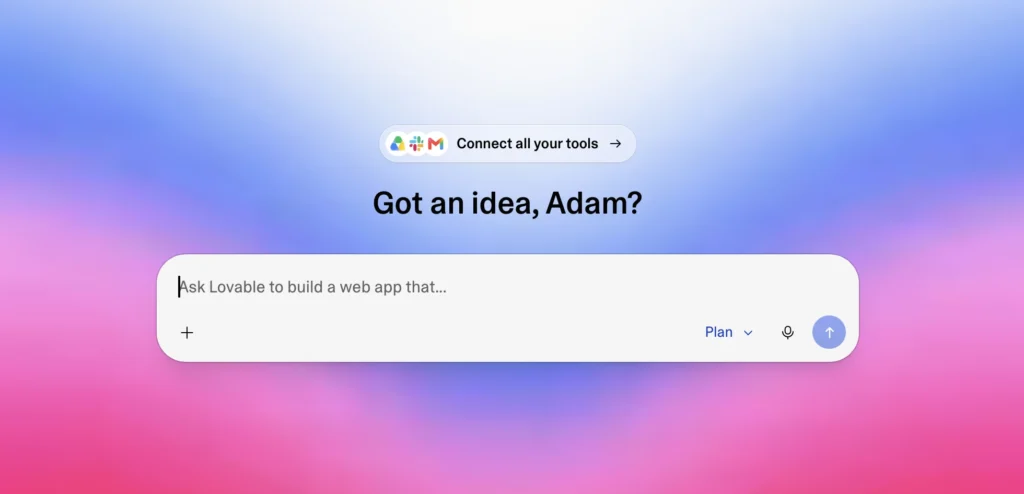
Making an app with AI means describing what you want in plain English while an AI tool generates the working code and design. Instead of hiring a developer or learning to code yourself, you type a sentence like “build me a habit tracker with a calendar view” and the AI writes the actual application.
This category of tool is often called a “vibe coding” tool, since you describe the vibe of what you want and the AI fills in the technical details. The best ones in 2026, including Lovable and Replit, generate a complete app: the visual design, the database that stores your data, and the login system, not just a mockup screen.
Gartner projects that low-code and AI-assisted tools will account for 75% of new application development by 2026, a sign of how mainstream this approach has become, even for people with zero programming background.
Do you need to know how to code?
No, you do not need to know how to code. Modern AI app builders write the code for you from a text description, then handle the deployment so your app is live on the internet.
That said, a little curiosity helps. You will still need to make decisions: what should happen when a user clicks a button, what data needs to be saved, what the app should look like. The AI handles the “how,” but you are still the one deciding the “what.” Beginners who treat the AI like a fast, literal assistant tend to get better results than those who expect it to read their mind.
If you already know basic prompt structure, you will move faster here. Our guide on how to write better AI prompts covers the same techniques that make these app-building prompts more effective.
What’s the easiest way to start as a complete beginner?
The easiest starting point is Lovable or Replit, two AI tools that turn a written description into a working app in minutes. Both run entirely in your browser, so there is nothing to install.
Lovable leans toward people who want a finished-looking app fast. It generates the frontend, backend, and database together, then connects to Supabase for storage and login, and syncs your code to GitHub automatically. Replit leans toward people who want one workspace where they can also see, run, and tweak the code directly if they want to, through a feature called Replit Agent.
Both companies offer a free tier specifically so beginners can test the experience before paying anything, which is the sensible way to start.
Step-by-step: build your first app with AI
Building your first AI-made app takes five steps: pick a tool, describe your idea, refine the design, connect the backend, then publish.
1. Pick a tool and create a free account. Start with Lovable if you want the fastest path to a polished-looking app, or Replit if you like the idea of seeing and editing the code as you go.
2. Describe your idea in one clear paragraph. Be specific about who the app is for and what it should do. “A simple expense tracker for freelancers that lets you log income and expenses by client” works far better than “an app for money.”
My personal tip here: before you write your prompt, spend five minutes searching Pinterest for UI inspiration in the style you want, save two or three screenshots, then attach them to your prompt alongside your description. The AI matches the visual direction much faster when it has a reference image instead of guessing from text alone, which means fewer follow-up prompts to fix the design. Since most of these tools charge credits per generation, that difference adds up fast. It is the easiest way I have found to stretch a free or starter plan further.
3. Refine the design through follow-up prompts. Ask for specific changes one at a time, such as “make the dashboard cards bigger” or “switch the color scheme to blue and white.” Small, specific requests use fewer credits than vague ones like “make it look better.”
4. Connect the backend. This is where the app gets its memory: a database to store user data and an authentication system so people can log in. Lovable wires this up through Supabase automatically when you ask for login or data storage. Replit’s Agent does the equivalent through its built-in database feature.
5. Publish and test. Both tools deploy your app to a live URL with one click. Open it on your phone, click through every button, and fix anything that breaks before sharing it with anyone else.
Lovable vs Replit: which should you start with?
Lovable suits people who want a polished app with a database built in fast. Replit suits people who want full control in one workspace.
| Lovable | Replit | |
|---|---|---|
| Best for | Non-technical founders, fast MVPs | Beginners who want to see and tweak code |
| Backend | Supabase, set up automatically | Built-in database via Replit Agent |
| Free tier | Yes, limited monthly credits | Yes, limited daily Agent credits, 1 published app |
| Starting paid plan | Around $25/month | Around $20 to $25/month |
| Code ownership | Syncs to GitHub from day one | Full code access in the workspace |
If you are not sure which to pick, start with whichever free tier you can sign up for in the next five minutes. The habits you build, clear prompts, one change at a time, Pinterest references, transfer directly between the two.
What’s the “technical cliff” and how do you avoid it?
The technical cliff is when an AI tool builds a great-looking app that breaks once you add real logins, a database, or hosting. You get a beautiful screen, then discover nothing behind it actually saves data.
This is one of the most common frustrations beginners report: a demo looks finished in 60 seconds, then falls apart the moment you try to actually launch it. The fix is to ask for the backend early, not as an afterthought. When you describe your app, explicitly mention that users need to log in and that their data needs to be saved, rather than assuming the AI will add it later.
Lovable and Replit both reduce this risk compared to tools that only generate a frontend mockup, since both wire up a real database and authentication as part of the build, not as a separate step you have to hunt down later.
How much does it cost to make an app with AI?
Most AI app builders offer a free tier to test the basics, then charge $20 to $25 a month once you build anything serious.
| Plan | Lovable | Replit |
|---|---|---|
| Free | Limited monthly credits | Free Starter, daily Agent credits, 1 published app |
| Entry paid plan | Around $25/month | Around $20 to $25/month, includes usage credits |
| What eats credits | Each generation or edit request | Each Agent action: file writes, tool calls, code runs |
Pricing on both platforms changes often and includes usage-based costs on top of the subscription, so check the current pricing page before you commit to a plan. The Pinterest-reference tip from earlier is especially useful here, since fewer design back-and-forth prompts means your free credits last longer before you need to upgrade.
Frequently Asked Questions
Is it really free to make an app with AI?
You can build and test a basic app for free on both Lovable and Replit. Free tiers come with limited credits or daily usage caps, so a small personal project is realistic, but anything with regular users will likely need a paid plan.
Which AI tool is best for beginners, Lovable or Replit?
Lovable is generally easier for a first-time, non-technical beginner because it handles the backend automatically and produces a polished result faster. Replit is a better fit if you are curious about the code itself and want a workspace where you can see and edit it directly.
Can I make a mobile app with AI, not just a website?
Most AI app builders, including Lovable and Replit, generate web apps first. These work fine on mobile browsers and can often be installed as a home-screen shortcut, but a true native app for the App Store or Google Play usually needs an additional step or a different tool.
Do I own the app I build with AI?
Yes. Both Lovable and Replit let you export or sync your code to GitHub, so the app itself belongs to you, not the platform. Always check the specific terms of service for any limits on commercial use.
We tested both Lovable and Replit hands-on while putting this guide together, including the Pinterest-reference workflow described above, to make sure every step reflects how these tools actually work.
For more on getting better results from any AI tool, see our guide on how to write better AI prompts, and if you are still deciding between AI chat assistants in general, our ChatGPT vs Claude vs Gemini comparison is a good next read.

1 comment
[…] you would rather build a web app than a game, see how to make an app with AI and our comparison of Replit vs […]